My Tools of the Trade

(Originally drafted in December 2019 during my tenure at Xero. Republished here in January 2024 with updated context and removed proprietary references)
A blog post about the software I actually use every day – why I use it, and what it gives me. Less a product review, more a snapshot of how one person tries to keep a digital life manageable.
The philosophy bit
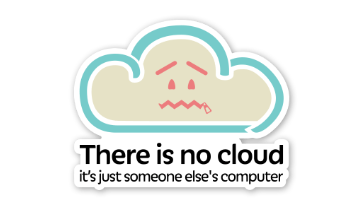
Cloud-based software has revolutionised the workplace. Most of what we use day-to-day arrives through a browser, and new features ship seamlessly without ever touching your local machine. But desktop software isn’t going anywhere – after all, a cloud-based server is just someone else’s machine, and it still needs software installed locally to operate.
A few years back I switched from Windows to Mac, expecting to lose the particular tools and workflows I’d grown attached to. In practice, the gap between the two ecosystems has narrowed enormously, and I found direct ports or good-enough equivalents for almost everything.

Now I tend to switch between operating systems without losing my preferred tools and workflows. I follow a loose “run less software” ethos: I prefer tools that have been around a while, and I customise as little as possible beyond the defaults. There’s less to configure when switching machines, less to maintain, and - as anyone who’s seen a dock overflowing with never-used icons will appreciate - far fewer opportunities for cruft to accumulate.
This instinct was shaped by my years as a developer. Software either changes dramatically, falls out of favour, or gets abandoned entirely. As a once-prolific World of Warcraft player, I lived through this with UI addons: someone builds one, everyone adopts it and becomes dependent on it, a game update lands, and the maintainer quietly gives up. The same dynamic applies to obscure browser extensions and hobbyist open-source projects.
Open source fills gaps that commercial software leaves behind, but carries the risk of abandonment or bugs. Commercial software tends to be better supported with some form of recourse, but costs money. Everything below reflects my attempt to land sensibly between those two poles.
Productivity
Google Workspace / Proton Docs – Gone are the days of emailing files back and forth or checking documents in and out of a central repository (looking at you, SharePoint). Collaborative, versioned, everywhere.
LucidChart / Draw.io / Excalidraw – A picture is worth a thousand words, and never more so than when visualising software, processes, and complex workflows. A cloud-based diagramming tool comparable to Visio, built entirely on web technologies. Architecture diagrams, sequence diagrams, infrastructure diagrams - it handles them all.
Trello - Grouping tasks into columns closely echoes the Agile way of working. I run a personal board with four columns: Backlog (long-standing, not urgent), Todo (next up, in priority order), In Progress (max of two – hard rule), and Done (archived by month). It’s not just satisfying to see what you’ve achieved; it makes periodic reviews trivial, because everything is already logged and dated.
Todoist – I tried keeping todo lists in OneNote but kept forgetting the list existed, or started a fresh list and forgot the first one. I wanted something cross-platform with reminders that synchronised properly across devices. Todoist fits that bill exactly.
Raindrop.io – The volume of article links coming in from Slack, email, and everywhere else is relentless. I used to drown in Chrome tabs, tried tab managers, tried tab suspenders – none of it solved the root problem, which was having too many tabs in the first place. The actual fix was behavioural: save articles to Raindrop.io, tag them, and read them deliberately rather than leaving forty half-loaded tabs as a guilt farm.
OneNote – I used to scatter notes across text files on a hard drive. OneNote is free, synchronises across every platform I use, and I haven’t looked back since adopting it.
Spotify – Sometimes I simply cannot work without music. Being someone who switches between Windows and macOS ruled out Apple Music, and streaming beat hoarding MP3s decades ago.
Slack – A love/hate relationship. It keeps you connected, but it’s a time sink if you let it be. My recommended setup when you start using Slack seriously:
- Learn
Ctrl/Cmd+KandCtrl/Cmd+/first - Turn off desktop notifications entirely
- Enable ‘All Unreads’ for a newsfeed-style catch-up
- Show only unread and starred conversations
- Set up Do Not Disturb hours
- Mute everything you don’t need in real time
- Dark Mode, for your eyes and your battery
- Check your time zone – you’d be surprised
Browser extensions
I keep the number of running extensions to a bare minimum. These earn their place:
- 1Password – fills in logins alongside the desktop app
- Dark Reader – flips page CSS to dark variants; easier on the eyes, easier on the battery
- uBlock Origin – blocks ads, trackers, and outbound requests to ad servers, and speeds up page loads
- Raindrop.io – small conveniences that remove friction from frequent actions
Utilities
- 1Password – after using the same password across too many sites, I moved to a password manager. My vault syncs via Dropbox, behind a separate master password with multi-factor authentication. It also stores MFA codes, secure notes, card details, and identity documents.
- Bartender - tames macOS menu bar icon clutter; show icons only when active, reorder, or hide entirely
- iStatMenus – a more capable replacement for Activity Monitor stats: temperatures, network usage, battery detail, all in the menu bar
- Mos - samples mouse wheel inputs and smooths them out, fixing macOS’s erratic third-party mouse scrolling
- BetterTouchTool - filled three gaps in one purchase: Windows-style maximise behaviour, keyboard shortcuts for moving windows between monitors, and mouse back/forward navigation in Chrome
- Amphetamine – prevents Mac sleep on demand, with a couple of extras
- AutoMounter – watches for network changes and remounts network shares automatically; one-time purchase
- Dropbox – still my personal file sync of choice, largely because 1Password has native vault-sync support for it, keeping my personal and work items isolated
Development
- JetBrains Toolbox - JetBrains IDEs are second to none, and Toolbox wraps them all into one subscription. Worth it for Rider alone if you’re a .NET developer.
- Visual Studio Code – lightning fast, endlessly extensible, loved across every platform
- Visual Studio – the official fallback for .NET work, for when something misbehaves in Rider
- Docker – the antidote to “works on my machine”. Indispensable for running things locally without installing them properly, and great for testing patterns like cache-aside with a throwaway Redis container
- Adobe Creative Cloud – occasionally I need to edit graphics properly, and Photoshop still beats GIMP for me. If you don’t need both, don’t install both.
- Fork – a Git GUI that doesn’t look like the inside of a prison cell and actually has decent functionality. Recommended.
- Cyberduck - finding a free, decent file-transfer client on macOS is surprisingly painful; this is the one
- Postman – the standard tool for poking at web APIs: testing, discovery, mocking, automation
- AWS CLI - essential for leveraging AWS properly rather than clicking around consoles
- KDiff – my long-standing UI-based diff and merge tool of choice
In summary
That’s the toolbox. Less than it used to be, mostly boring and battle-tested, and chosen deliberately so that replacing my machine is an afternoon rather than a project.