Unreal Engine Design Patterns

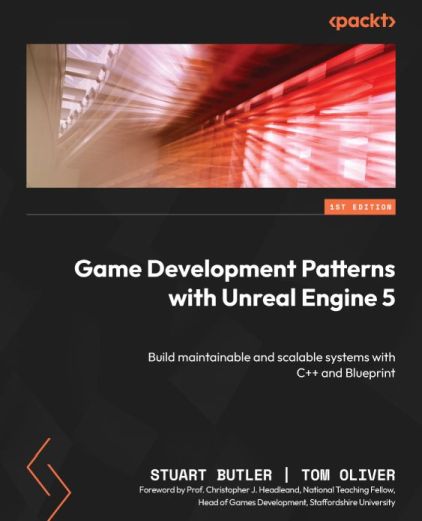
This post isn’t from the Game Programming Foundations course itself, but from my own reading alongside it – notes taken while reading Game Development Patterns with Unreal Engine 5 – Stuart Butler & Tom Oliver, a tour of design patterns as they apply specifically to Unreal Engine.
Anti-Pattern Problems (and Their Solutions)
The Moving Box Problem
- Naive: check every tick whether the box has arrived at its location
- Better: a Timeline lerping between two locations – more performant, no per-tick comparison needed
The Rotating Box Problem
- Naive: check every tick whether the box has rotated by X degrees
- Better: the built-in Rotating Movement component – the engine already solved this
The Cascading Cast Chain Problem
- Naive: Pistol, Shotgun, and Rifle classes, with gameplay code casting to each weapon type to call
Fire() - Better: an interface - call
Fire()on anything that implements it (the course’s interfaces week in miniature)
General Patterns
Double Buffer
- Solves frame tearing – the renderer can’t paint the canvas fast enough, so you’d see a half-drawn frame
- The back buffer holds the frame being painted while the front buffer displays; with VSync off, frames swap as soon as the back buffer is full
Behavioural Patterns
Singleton
- Restricts a class to a single instance – the pattern everyone loves to hate
- The book’s alternative: dependency injection instead of a globally reachable singleton
Command
- Encapsulates a request as an object – e.g. moving units around in an RTS, where commands can be queued
State
- Separates behaviour based on state: states provide a specific output/value set, transitions define the logic for switching between them – the formal underpinning of the state machine week
Structural Patterns
Template
- The parent sets the order of method execution; method signatures are defined in the parent and filled in by children
Subclass Sandbox
- A public abstract method for doing something, protected methods sketching out the available functionality, and a sandbox method exposed to Blueprints
- Concretely: create the C++ template, then author Blueprints that inherit from it – the native/C++ split the course has been using all along
Type Object
- Similar to Flyweight: same object type, different variations
- Unreal’s expression of it: the Variant Manager (swappable values for Actor properties), Data Tables for storing values, and Data Assets – effectively Data Table rows, referenced as variables in Blueprints
Optimisation Patterns
Object Pooling
- Spawn items before they’re needed and hide them until they are – e.g. a minigun firing 3,000 projectiles per minute can’t afford to construct/destroy each one
- Related: world subsystems (Engine, Editor, Game Instance, Local Player, World) as the engine’s own managed-lifetime layering
Dirty Flag
- Reduces how often values are recalculated – in a hierarchy of transforms hundreds deep (e.g. a moving arm in 3D space), mark what needs updating and skip the rest until it’s dirty
Data Locality
- The problem: “starvation of data” – like building flatpack boxes on a conveyor belt where the worker waits for parts to arrive (see flag below)
- Solutions: hot/cold splitting (only load the loot box when required) and contiguous arrays (stack/heap layout so related data sits together)
Notes on things that stood out
Reading this during the course was like being shown the man behind the curtain. Almost every course-provided convenience turned out to be a named pattern: the C++/Blueprint inheritance flow is Subclass Sandbox, the data-table-driven attribute system from the GAS week is Type Object, and the ability lifecycle is Command crossed with State.
The most practically useful sections for where I am now: Object Pooling (my Niagara and MetaSounds instincts said “spawn everything always” – this is why that’s wrong), and Dirty Flag – I now understand why engine code asks “is this dirty?” before recomputing, rather than it just being engine eccentricity.
Related Posts
2025-08-27
2025-08-20
2025-08-06